
Presentation slides
With Molly and I in session for Carson Workshops in only a few weeks and our presentation materials near completion, I have become interested in what audiences need or expect from presentation slides.
At this year’s @media, I fell head-over-heels in love with Doug Bowman(’s presentation slides). Not being a regular conference attender in the past, Doug’s @media presentations visuals were truly inspiring and whilst I and almost all of the other presenters had created their presentation materials using Eric Meyer’s remarkable s5 (Simple Standards-Based Slide Show System), Doug chose to use Apple’s Keynote to power his presentations.
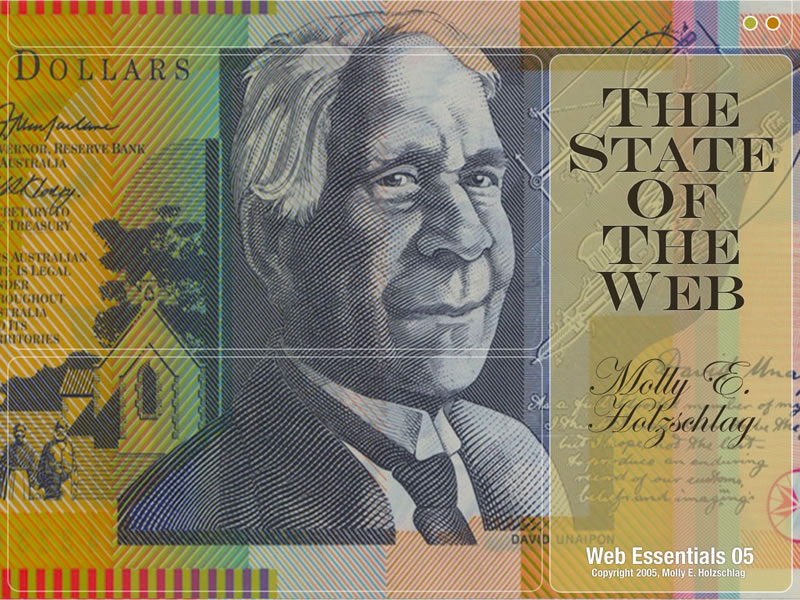 Design for Molly’s Web Essentials keynote (made in Keynote) (jpg format 160Kb).
Keynote
Despite being widely compared to Microsoft’s Powerpoint, Apple’s Keynote, used in the hands of someone with Doug’s creative talents, can produce a rich visual experience which far surpasses anything I have seen from Powerpoint. Doug encouraged me to explore Keynote and in both my presentations for WOW in Cupertino earlier this year and the up-and-coming Carson Workshops, Keynote will be my choice of presentation tool.
Keynote is not without its faults or frustrations when building presentations, but its rich visual output is perfectly suited to the highly graphical material which I present.
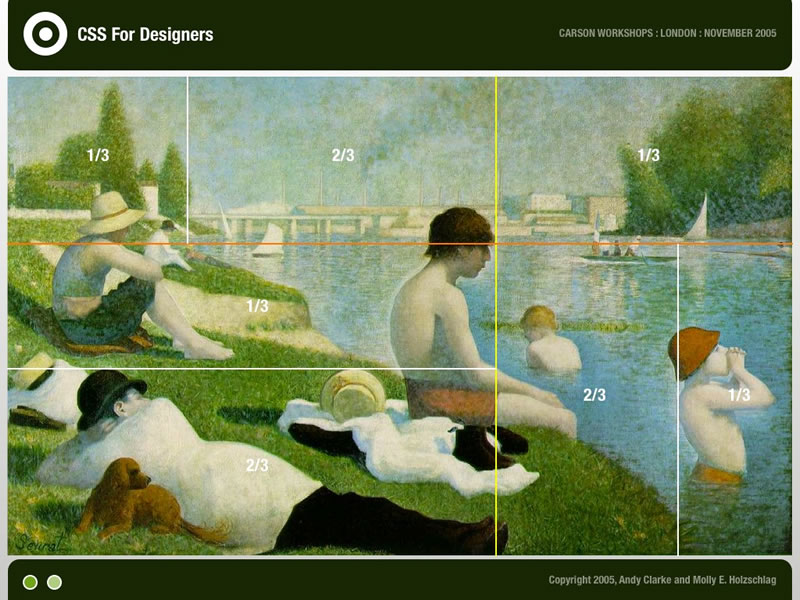 Carson Workshops presentation slide (jpg format 120Kb).
After my WOW sessions, many in the audience requested copies of my presentations’ slides. But despite Keynote’s extensive range of output options, (Quicktime, PDF, Powerpoint, static images or Flash), it lacks the ability to export as HTML or XHTML and when exported, each of the four presentations PDF’s averaged an enormous 25Mb. And while I have not yet run any tests for the accessibility of the exported PDFs, I have a pretty good idea that they will not live up the high standards set by Joe or Derek.
But this makes me question what audiences are looking for in presentation slides at workshops or conferences? My own slides are not verbatim of the words I speak and I imagine make little sense out of context. Our Carson Workshop sessions also make heavy use of transitions and animations to demonstrate the possibilities of CSS, none of which can be transferred successfully to static PDFs.
So now wonder I what is most important to audiences, the visual and aural experience during the presentation or the after show materials? And what about accessibility of the downloadable materials? Should presenters make an extra effort to ensure that their materials are as accessible as the work we produce in our day jobs? Let me know what you think.
Replies
-
#1 On October 25, 2005 12:52 AM Chasen Le Hara said:
I’ve been listening to the Web Essentials ’05 podcast and a few days ago I did a search for Jeffrey Veen and discovered that he has his slides available for PDF download. This enabled me to see what he was talking about during his speech, and helped me understand what was going on a little bit better.
I think that if the presentation was dynamic enough, it would warrant a nice .mov in h.264 so that people could review "oh yeah, he was talking about this during this little demonstration…" However, PDF would be better if it’s mainly static (I know you know that). I think that most people would want to use the downloadable materials for reference and/or review, so the accessibility should fit accordingly.
Perhaps a torrent would be best for those high MB materials?
-Chase -
#2 On October 25, 2005 01:13 AM Ryan Oswald said:
Like Chasen I too have enjoyed the Web Essentials ’05 podcasts and its been awesome to have some of the presentation slides provided. I definately think its a plus, of course we can’t all attend the conferences we would like, so its like being there. Frankly, I don’t understand why so much is given away freely on the internet… I’m not complaining, but it makes we wonder how companies and individuals are surviving by providing all their hard work for free. I would have paid a small price for the WE05 podcasts and slides and probably would for other conferences, but I don’t have to and that’s fine by me!
As for what you should provide and how?
Should presenters make an extra effort to ensure that their materials are as accessible as the work we produce in our day jobs?
If your providing it for free… do whatever you want; your not accountable to paying customers. I’m happy with whatever you give me.
-
#3 On October 25, 2005 04:42 AM Amit Karmakar said:
This is like opening a can of worms… :) in a good way I suppose. In my opinion Keynote is WAY WAY superior in comparison to Powerpoint but yes it still has the issue of not being able to export at a X/HTML. I guess it is always a good idea to have both options available for those that like a real visual presentation (I know I do) and at the same time have the option of an accessible one for the greater benefit of all. Users can pick the one they feel comfortable with. However, this means the presenters need to do 2 sets, which may seem a bit tedious. Like l said before… its like opening a can of worms :)
-
#4 On October 25, 2005 05:26 AM Stuart Young said:
Aye but, Powerpoint can’t export to HTML either!!!! ;-)
-
#5 On October 25, 2005 08:36 AM Robert Nyman said:
OT and picky here, but there’s a typo in your first paragraph:(Ed says: Oooops, fixed.)
-
#6 On October 25, 2005 09:14 AM Simon R Jones said:
I was was really impressed with Doug Bowman’s @media slides - I certainly think for the audience good design really helps engage people. Having said that, Joe Clark’s white & yellow text on a stark black background presentation style was interesting and very engaging in its own way too.
I don’t think you’re obliged to ensure your presentational materials are kept accessible, since as you say they make little sense out of context. Far better to podcast it and let people have access to that (aka Web Essentials).
Your slide layout looks great though, can’t wait to see it (I’ll be there for the Friday workshop!)
-
#7 On October 25, 2005 09:19 AM Malarkey said:
You’re all absolutely right about the quality of the PodCasts from WE in Sydney. The quality of the speaking was so good as to almost not need any visuals.
And imagine this: Molly and Jeffrey Veen with me 24 hours a day (on my iPod). Bliss!
-
#8 On October 25, 2005 10:11 AM grant broome said:
One note on the accessibility of slide presentations is that when presenting its somethimes a good idea to explain the content of your slides. This is contrary to the advice that most people would give, but I gave a presentation this year at the BCS with at least one blind person in the audience. Make sure some of your audience aren’t left in the dark if your presentation is mostly visual. I imagine it would be frustrating to sit there while everyone is laughing at the presenter’s visual humour or if there’s a short silence while people take in a certain slide while you just sit there and wonder what’s going on. It’s a bit tricky to get right (I struggled with it on the day), but I’m sure that certain people will appreciate it.
-
#9 On October 25, 2005 11:11 AM Ben Darlow said:
This is something I’d been wondering about when I saw Doug Bowman’s presentation at @media this summer; his presentation stood head and shoulders above the rest for just how lovely it looked, which is the natural result when you combine his talents with an Apple creative application like Keynote. The other presentations’ slideshows were all good (mostly using S5, from the look of it) and for pretty much all of them (from what I can remember) the presenter pointed out that the presentation is available online (only natural when it’s XHTML natively). Conversely, Doug only had his as a PDF.
I think the important point to remember here is that these were presentations for use during presentations. That is their raison d’’tre. Being able to browse it again at your leisure is a luxury, not an essential part of the production process unless you’re literally making your presentation in the web medium. If the content is sufficiently standalone and worthy of being presented for later review (for people who weren’t at the presentation, say) then rejigging the content to a more suitable reading format might be in order, but in most cases the presentations wouldn’t make nearly as much sense without the concomitant speaker’s contribution. After all, we don’t go to these events to watch slideshows, do we?
-
#10 On October 25, 2005 03:24 PM John said:
The quality of the speaking was so good as to almost not need any visuals.
This has always been the first rule of presentations. Apart from the presenter, everything else is a supporting prop and should remain so.I still think one of the most impressive things a speaker can do is provide takeaway material to those that have taken the time and expense to attend.
It’s a tangible valuable gesture appreciated by all and great for "clarifying and confirming" long after the presentation fades into the past. -
#11 On October 25, 2005 06:01 PM Joe Clark said:
You should look at the issue the other way: Since you have to publish accessible documents online, how does that affect what you use in your actual presentation?
Historically I have used a lightly-styled HTML file for speaking notes, which, as attendees will recall, I scarcely ever read from, and a PDF for visuals, which, as attendees will also recall, are pretty much perfunctory.
I used S5 recently and was not wild about it, given its basic deficiencies (voracious misuse of screen real estate, reliance on paged metaphors, inability to link to specific slides). People should look at S6 and Slidy. (Delicious those tags, and S5, for links.)
I think the answer is yes, you have to make two different files. For the London workshop I edited my S5 down to something that made sense when viewed on the Web, and I ended up with like three slides.
I always try to produce custom-written notes after the presentation. I find that more useful than a data dump of the files I used before and during the presentation.
By the way, in a pinch you can post semi-standard but inaccessible formats (like PowerPoint) and simply wait for Google to index them. Or you could just use their supremely shitty HTML export and live with it.
-
#12 On October 25, 2005 07:27 PM Shawn Parker said:
I hesitate to open my mouth in the presence of some of you, but here it goes anyway:
I’ve only done a handful of presentations and those were to very small audiences at that. Think company meeting…
As a presenter and a viewer I like to see the on-screen presentation differ from and support what is being spoken, but to also be able to have a printed piece that accompanies the presentation.
I like that printed piece to be everything that was spoken, displayed, and little bit more to cover some of what couldn’t be talked about but is still relevant. It takes more time but is, like previously said in these comments, a nice thing to walk away from a presentation with.
In this case, I think my vision of the printed piece would equate to your accessible version. From an end user standpoint - I’d actually prefer to have the PDF - I want to be able to archive it and come back to it. There’s always a risk of something online being taken down or moved, or I might forget about it and clear out a link, and I don’t want the hassle of having to keep a folder of files when I could just have a PDF that fits neatly into any file system and many information collection programs like DevonThink.
… at least, that’s my piece and hopefully it made sense.
-
#13 On October 25, 2005 08:31 PM Ted Drake said:
I’d like to have a small Andy Clarke action figure that sits on my desk, wads up my papers, and throws them at the screen, trashcan, or fellow co-workers.
Could you put something like that together from the @media conference?
-
#14 On October 25, 2005 09:11 PM Malarkey said:
At the start of WOW in Cupertino, a very polite gentleman explained that he had a visual impairment and very low vision and asked if I export my slides to PDF and give them to him on a jump drive so that he could follow along on his PC during my sessions?
I obliged and also began to wonder about the accessibility of presentation materials during the sessions. Should presenters make alternative materials (for example, large print notes) available for attendees if so required?
-
#15 On October 25, 2005 11:54 PM pixeldiva said:
"I obliged and also began to wonder about the accessibility of presentation materials during the sessions. Should presenters make alternative materials (for example, large print notes) available for attendees if so required?"
Yes, but you should ideally know about any special needs such as these beforehand to give you time to prepare appropriate materials.
If it’s not something that’s asked for when singing up for a conference or workshop, you’d hope that the individual would get in touch to ask for materials to be provided in their chosen format, but it does depend on your audience, and it’s really not entirely reasonable to be expected to turn up with 43 different formats.
I generally find it’s best to do a kind of belt and braces approach and have at least a large print set or two of slides/notes (16-18pt) handy, just in case. If anyone specifically requires braille, they’re usually pretty used to asking for it in advance.
The most fun I ever had was a training session I did where I was presenting with a JAWS user to an audience that contained both JAWS and screen mag users, along with people with low vision. It was certainly challenging figuring out how to accommodate such a wide range of users as well as "normal" people. I wound up with a large monitor in addition to the projection screen (so the people with low vision could sit near the monitor and see the monitor if they couldn’t see the screen) and doing a lot of explaining about what I was doing.
I’ve waffled a lot, but really, if you’re doing a presentation about accessibility and how important it is, I’d say that the materials that you produce and the presentation itself should be as accessible as you can make it. If you know for certain that no-one in your audience has special needs then you can probably get away with just going for it on the day, but if you’re going to publish your materials online afterwards, they should be made as accessible as possible. Otherwise it just looks a bit like "do as I say, not as I do".
-
#16 On October 26, 2005 03:01 AM goodwitch said:
In a perfect world, I’d want it all! Accessible presentation materials, podcast and actually getting to attend the session live.
And while I care about accessibility from the tip of my hair to the tip of my toes, I shudder to think of all the podcasts that wouldn’t be published if they all had to be transcribed. I’ve been reveling in the Web Essentials podcasts, feeling lucky that I have access to them. (skating dangerously near thin ice…pauses to remember main question)
"So now wonder I what is most important to audiences, the visual and aural experience during the presentation or the after show materials?"
If I paid for a seat in the session, I really, really care that you maximize my learning opportunity through your words and your visuals. The richer the visuals the better!
I will always want access to the presentation materials afterward. And honestly, if you use Keynote, PowerPoint or S5, does it really matter? Each of these formats are already quite accessible! S5 is obviously a delicious web standards choice. But honestly, screenreaders like JAWS can handle PowerPoint just fine! And Keynote easily exports as PowerPoint…so…there ya go!
As for the podcasts…it will be wonderful when we have tools that can truly translate the spoken word into the written word, but I’m not holding my breath.
In the meantime, wouldn’t it be great if conferences would consider putting podcast transcription into their budgets. Perhaps we would all be willing to pay a little more for the conference to support the transcribing. Elliott Masie has figured it out. He is providing transcripts through Tech Synergy. My hat is off to Elliott!
-
#17 On October 27, 2005 09:13 AM jr said:
Have you ever checked Opera show ?
It is to me the best presentation tool ever -
#18 On October 28, 2005 01:50 AM AlastairC said:
As Molly’s experience shows, you leave yourself open by posting inaccessible materials, especially now you’ve shown that you are thinking about it!
Turning it around for a second, one of my favorite examples of post-presentation materials was from an SXSW panel. (Admittedly panels are a different format, but I had to point it out ;)
I really enjoyed reading the transcript and listening to the speakers, one of whom I’d met, most I’ve read about. However, it was months before that got online because of the effort involved.
There are two main possible presentation materials to post: the actual materials used at the time, and notes.
The material’s used are for a specific purpose, and you could argue that they should only be for the attendees anyway.
Custom written notes (like Isolani’s RNIB PDF event) are possibly better for general web consumption anyway, and a hell of a lot easier to produce.
Personally, S5 sits in a good middle ground for me. I prefer editing it to PP, and it’s reasonably good at both the live presentation and post-event notes. OTOH, I don’t have nearly the graphical (or typographical) eye as some of the people here!
-
#19 On October 30, 2005 06:10 PM goodwitch said:
Alastair, (blushing) I’m so glad you enjoyed our panel/transcript. While it was a bear getting the transcript ready, my recent discovery of transcription services like Tech Synergy makes me realize we were silly to transcribe that audio by ourselves.
I was just chattin’ with Featherstone about how pleased he was with Tech Synergy, both quality, turn around time and price. When he told me how little it cost to transcribe his 50 minute presentation at Web Essentials, I was even more impressed.
So, I’m glad Ive done transcribing by hand (it was a good learning experience) but I’ll be wiser next time!
-
#20 On November 2, 2005 03:42 AM Ben Buchanan said:
I thought about this quite a bit during WE05. The presentations were of a consistently high standard no matter what the format. Some people used the barest minimum text content - Doug for instance seemed to use many slides just as a way to indicate transition between concepts. Others used a lot more content in their slides and made it clear up front that the material would be available later, so people didn’t have to frantically write it all down.
Afterwards… well I’m happy with whatever the speakers are willing to give, so long as I can open it :) S5 can be saved with images, PDFs are big but complete, PPTs are big but complete, and so on. Mind you, when someone makes an entire website out of their presentation you’ll just need to bookmark it :)
You can always run into format issues. I did have trouble with one of Jeff Veen’s PDFs… during the presentation I suspect Acrobat threw in a transition or something, but when I viewed it at home it dumped two images on top of each other (the three-circle diagram covered by the ipod guy). I probably have an old version of the reader, though.
As for making the presentations available during the talk… well it obviously helps some people, but in general probably better to get attention on the speaker. Of course, people will always be looking down to make notes, but at least they won’t be skipping ahead in your slideshow and so on.
Myself, I take notes no matter what since it helps me recall things later on. At WE05 I also jotted down the throwaway lines and other observations which wouldn’t end up in the downloads [day one, day two and random observations].
Molly’s experience obviously offers a caution on releasing anything less than perfect; but releasing something is generally better than releasing nothing, especially when people aren’t being paid. A certain level of expectation management is required :)